 FrameDump
Guide
How to make a cutout sticker of yourself with a white outline
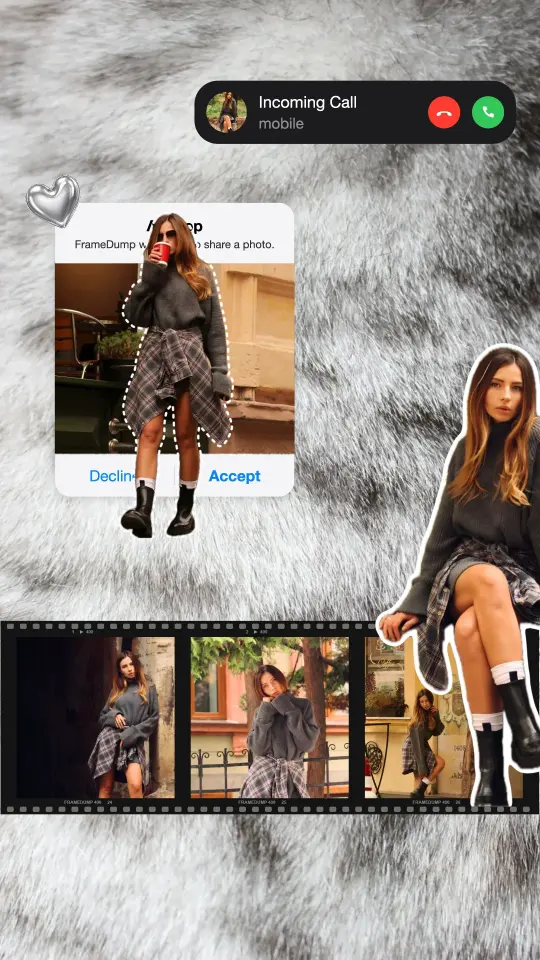
A cutout sticker is a photo of you with the background removed and a white line around the edge, like a sticker you'd peel off a sheet. Put it on a story, over a film strip or half outside a frame, and a plain photo suddenly looks like a scrapbook page.
Why cutouts work
- They stand out. With the background gone, the person is the only thing your eye sees.
- They look handmade. A white outline gives that cut-with-scissors, sticker-sheet feel.
- They can break the frame. A cutout can step out over the edge of a photo or a polaroid, which makes the design feel 3D.


Make one in FrameDump
- Add a photo of yourself to your design.
- Tap the photo and choose BG Tools, then tap Auto. FrameDump finds the person and removes the background in one tap.
- Check the edges. Use Erase to remove anything left behind, or Restore to bring back a missing bit, and change the Brush Size for small details.
- Tap Outline and choose Solid for a classic white sticker edge, or Dashed for a cut-here look. Pick white, or any colour you like.
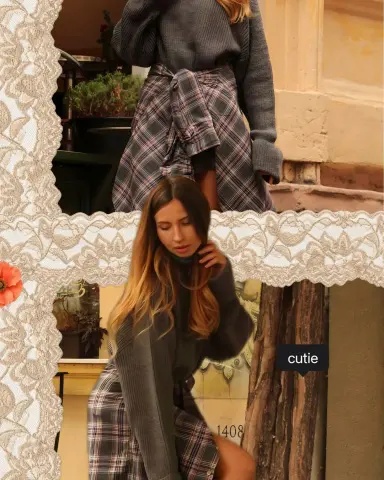
- Move, resize and rotate the cutout until it sits where you want it: over a film strip, next to a polaroid or half outside a frame.
Background removal is part of FrameDump Pro.
Tips for a clean cutout
- Pick a clear photo. A person standing out from the background, in good light, gives the cleanest edge.
- Full body or half body. Both work. Just avoid cutting off hands or feet at awkward places.
- Go thicker on busy designs. A thicker white outline keeps the cutout readable over patterns and textures.
- Use it more than once. The same cutout in two places, big and small, looks playful on a carousel.
Get started
Download FrameDump free on the App Store or Google Play, or see our story templates for ready-made designs with cutouts. More guides: how to write curved text on a photo and how to make aesthetic Instagram stories.